










Introducing OneMedia: Centralized Media Management for Multi-Brand WordPress Networks
OneMedia is a centralized media management plugin for WordPress, purpose-built for OnePress, our framework for organizations managing multi-brand, regional, and multilingual WordPress networks with shared governance but local autonomy. Here is the GitHub repo.
With OneMedia, you can upload media assets once to a central WordPress Governing Site and distribute them to any number of connected Brand Sites, with full control over whether those assets stay synchronized or become independent copies. It’s designed to eliminate redundant uploads, ensure brand consistency, and give your teams the flexibility to manage media the way that works best for each situation.
Whether you’re managing a global brand with dozens of regional sites, or running multiple digital properties under the same umbrella, OneMedia ensures that your media assets are always where you need them, without the hassle of duplicate uploads or inconsistent branding.
How It Works
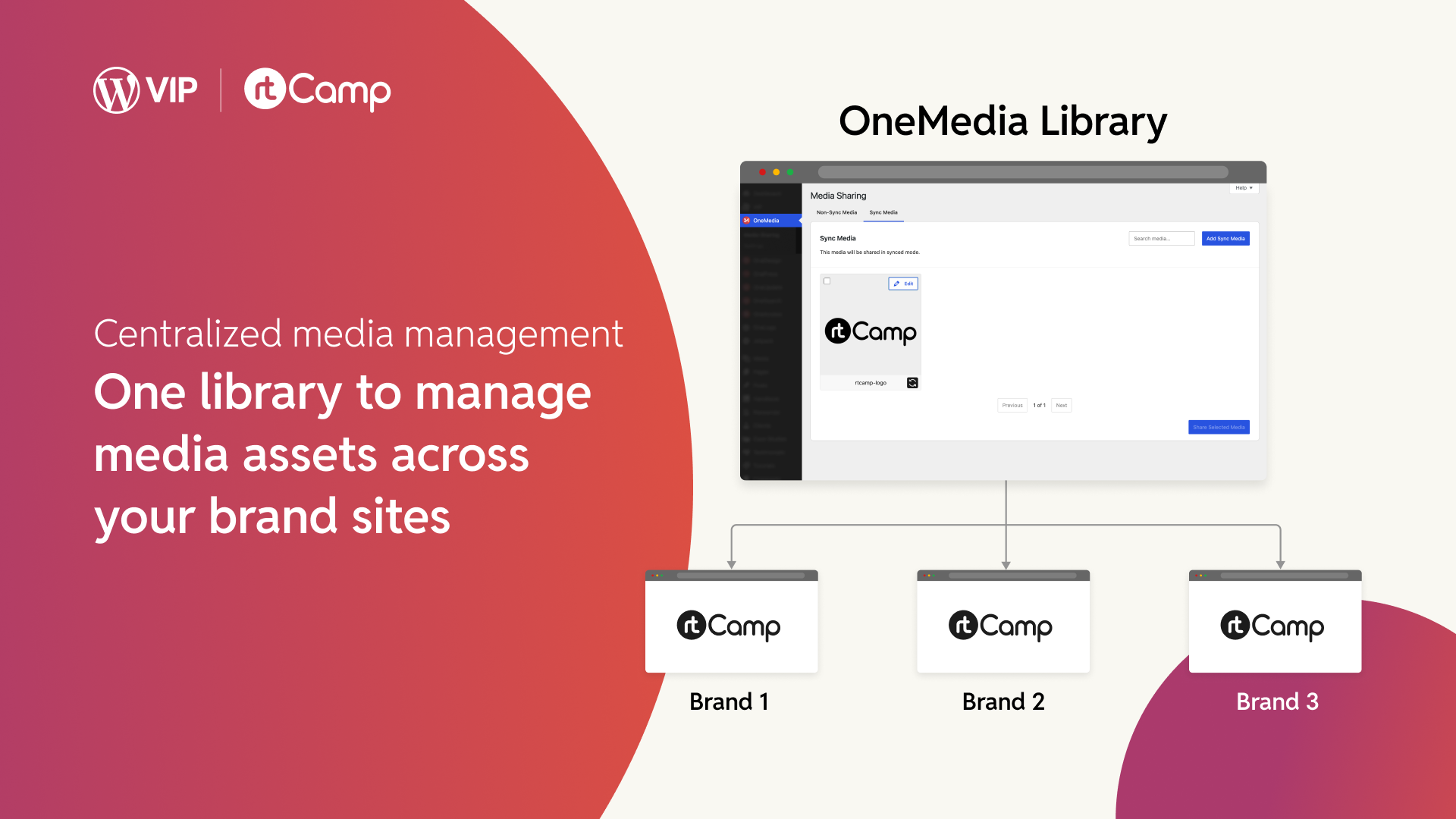
1. Upload Once
Add your media assets to the Governing Site’s library: Logos, Product images, Campaign graphics, etc. Whatever your network needs.
2. Choose Your Sharing Mode
Select between Sync Mode (live connection with automatic updates) or Non-Sync Mode (one-time copy that can be edited independently).
3. Distribute to Brand Sites
Push selected assets to one, some, or all of your connected Brand Sites. You control exactly who gets what.
4. Stay in Sync (or Don’t)
Synced assets update automatically across all sites when you make changes on the Governing Site. Non-synced assets live independently on each Brand Site.
Why We Built It
In enterprise environments, media management across multiple sites becomes a real headache. We see the same problems over and over again: marketing teams uploading the same logo to fifteen different sites, outdated product images lingering on regional sites months after they’ve been replaced on the main site, and brand managers spending hours hunting down which sites have which versions of which assets.
This is inefficient and creates real business problems. Inconsistent branding erodes customer trust. Duplicate uploads waste storage and create confusion. And when you need to update a critical asset (say, a logo after a rebrand), you’re stuck with a manual, error-prone process that can take days or weeks to complete.
OneMedia, built as part of our OnePress framework, addresses all of this. It gives you centralized control over your media assets while preserving the flexibility that different brands and teams need.
Who Benefits
A centralized media system helps different teams in different ways.
Developers
Developers working on multi-brand WordPress networks can upload media once to a central Governing Site and distribute it to any number of connected Brand Sites through secure API communication. This saves development time, enforces brand consistency, and reduces the operational overhead of managing media libraries across large WordPress networks.
Marketers
Marketers can launch campaigns faster because they’re not re-uploading the same assets to every site. When brand assets change, they update once and watch the changes roll out automatically.
Brand Managers
Brand managers finally get the control they’ve been asking for. Synced assets are read-only on Brand Sites, so regional teams can’t accidentally (or intentionally) modify protected brand assets. But non-synced assets give local teams the freedom to adapt content for their markets.
Global Brands
Global brands can enforce visual consistency across dozens of sites while still empowering regional teams to work independently where it makes sense.
Key Features
Sync Mode
Sync Mode maintains a live link between your Governing Site and Brand Sites. Update a product image or replace a logo, and the change automatically propagates everywhere that asset has been shared. Synced assets are read-only on Brand Sites, ensuring brand integrity.
Non-Sync Mode
Non-Sync Mode sends a one-time copy to Brand Sites. These assets can be edited independently. They’re perfect for campaign images that regional teams need to localize, or assets that don’t require central control.
File Replacement
File Replacement lets you swap out a synced media file on the Governing Site, and the update flows to all connected Brand Sites automatically. No more hunting through fifteen sites to replace an outdated image.
Revisions Tracking
Revisions Tracking to manage your media with revision history. Track up to 5 versions of synced media, with the ability to restore metadata and files with a single click.
Secure Communication
Secure Communication ensures all media sharing happens over authenticated API connections. Each Brand Site generates a unique API key, so you always know exactly which sites are connected and authorized.
Flexible Distribution
Flexible Distribution gives you granular control over which sites receive which assets. Share a logo with your entire network, or push campaign assets only to specific regional sites.
Next Steps
We’ll continue expanding OneMedia’s capabilities. You can see the immediate next items here. The code is open-source and available on GitHub. We’d love your feedback, contributions, and ideas.
We’re committed to making WordPress the go-to platform for organizations with ambitious multi-site needs. OneMedia is another step towards the OnePress vision that enables it. You can look forward to more releases in this space.
To learn more, get in touch with us.
On this page


Leave a Reply